

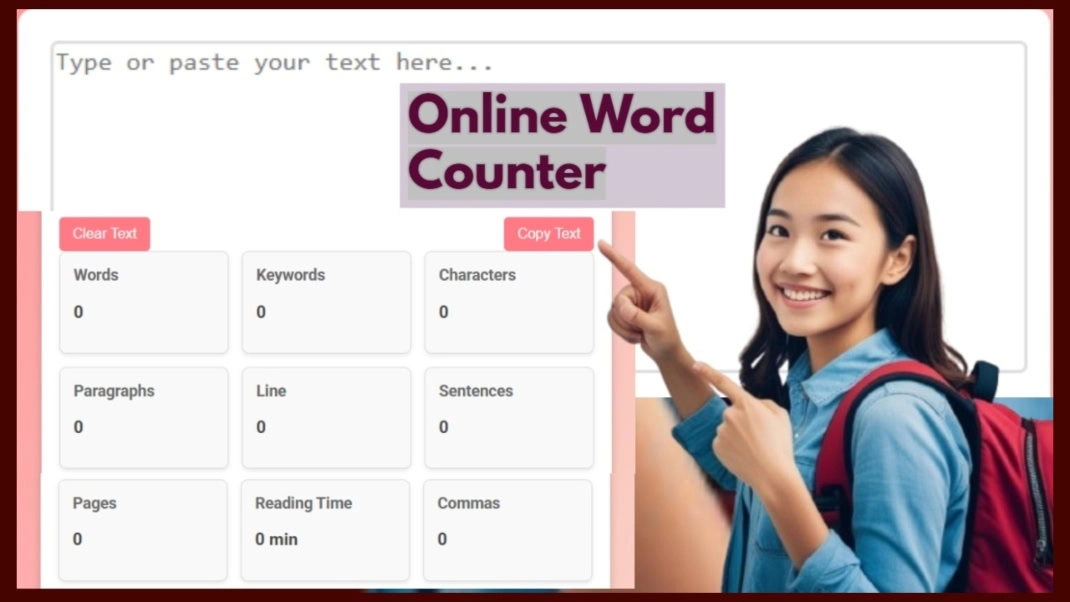
Words
0
Keywords
0
Characters
0
Paragraphs
0
Lines
0
Sentences
0
Pages
0
Reading Time
0 min
Commas
0
Speaking Time
0 min
Readability
0
Professional
0
Featured Image
Featured Snippet:
👉 The ‘InfoTrim Word Counter Online’ tool is a web tool which is used for counting words, keywords, paragraphs and more — plus formatting content into title case, sentence case, and beyond. It is a web application tool which functions live in your local storage; just copy and paste your scripts into the text area of the tool, and see the live calculation of the results. It’s primarily useful for freelancers, students, and teachers to increase their efficiency, saving hours of work.
Introduction
👉 This InfoTrim ‘free word counter’ tool provides various text analysis metrics that go beyond counting words, characters, and sentences to improve readability, professionalism, and overall writing quality. It is especially useful for social media users who need to manage title, description, keyword, and hashtag limits from one convenient place.
This ‘InfoTrim Word Counter Online’ tool helps content writers analyze their documents by providing accurate statistics, such as the total number of words (e.g., 3000+), making it easier to present projects to clients. Social media managers can also use this ‘accurate word counter’ tool to calculate title length, description length, keywords, hashtags, and more, helping them save time and streamline their workflow.
Table of Contents
- How to Use This ‘InfoTrim Word Counter Online’ Tool?
- Core Controls & Functions for ‘InfoTrim Total Word Counter’ Tool
-
Features of Using this ‘InfoTrim Web Word Counter’ Tool
- Words Counter
- Keywords Counter
- Characters Counter
- Paragraphs Counter
- Lines Counter
- Sentences Counter
- Pages Counter
- Reading Time Counter
- Commas Counter
- Speaking Time
- Readability
- Professional
- Live Counting – No Analyze Button Needed
- Copy and Paste Support
- One‑Click Copy & Clear
- Persistent Local Storage
- Privacy First – 100% Browser‑Based
- ASCII Character Counting
- UTF-8 & Unicode Compatibility
- XSS Prevention & Secure Text Analysis
- Metadata & Character Encoding
- Responsive Design – Works on All Devices
-
FAQ
- Why is the ‘InfoTrim Word Counter Online’ tool important for Freelancers?
- How can SEO professionals ‘count words and characters’ in less time?
- Why should a ‘counting tool’ always be used in daily professional life?
- What’s the common misconception about ‘unique word counter’?
- What’s the future step in using ‘Word Counter Online’ tools?
Email Subscription Form
Body
👉 Read the following article to learn about InfoTrim Word Counter Online in textual format.
A How to Use This ‘InfoTrim Word Counter Online’ Tool?
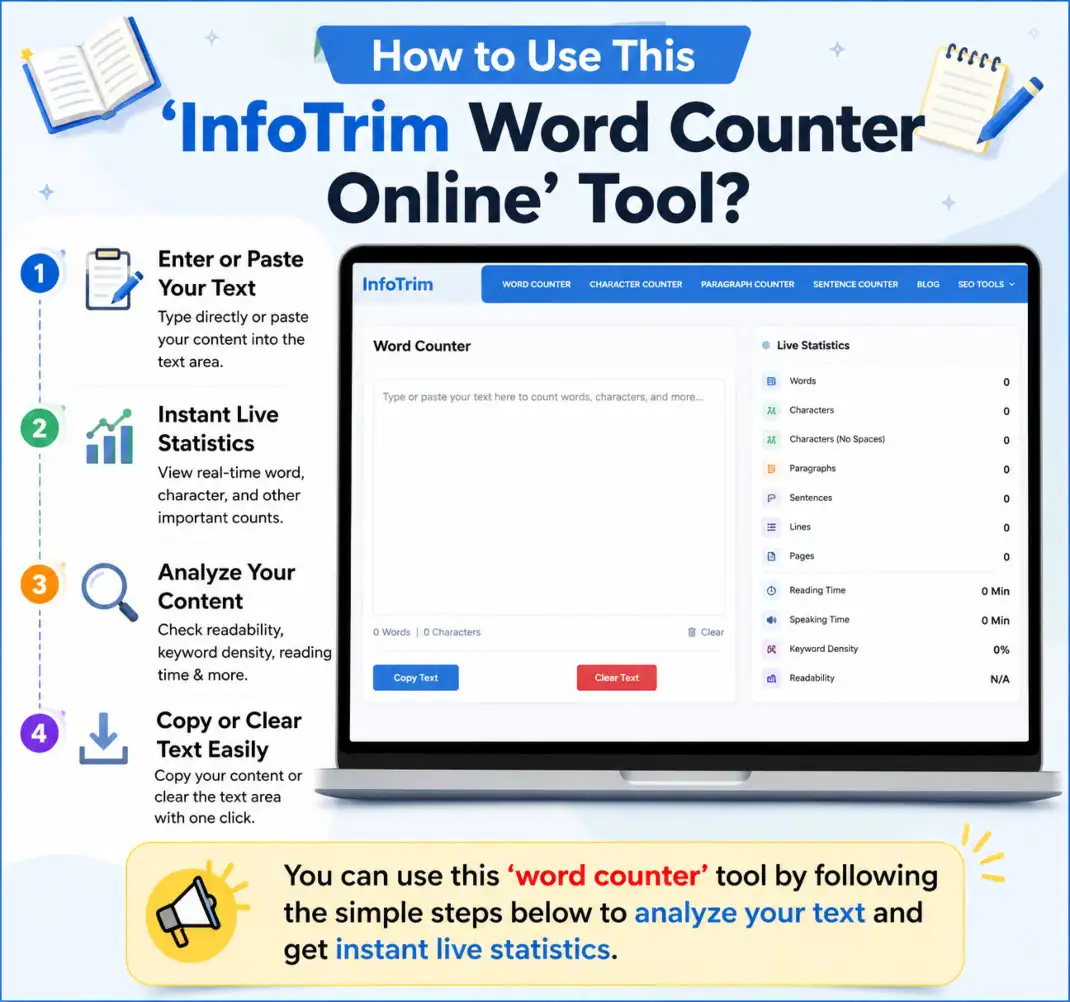
You can use this ‘word counter’ tool by following the simple steps below to analyze your text and get instant live statistics.
#. Step-by-Step Instructions:
1. Enter or Paste Your Text
Either type directly into the text area of this ‘word counter tool’ or paste any text from a website, document, email, or any other source.
The tool processes your text automatically — no button needed for basic counting.
2. View Real-Time Statistics
As soon as text is typed or pasted from any source, the ‘word counter tool online’ instantly shows the live results without any delay.
It displays details about Words, Keywords, Characters, Paragraphs, Lines, Sentences, Pages, Reading Time, Commas, Speaking Time, Readability, and Professionalism.
3. Copy the Analyzed Text
Just by clicking the ‘Copy Text’ button in this ‘word counter website’ tool, the entire text is copied to your clipboard. You can use this tool for the temporary storage of any online text, documents, or emails as notes, and can view them anytime as they will be saved there. Even after a page refresh, the text will remain there.
4. Clear All Fields
To reset or delete the text from the text area of this ‘word counter english’ tool and reset every statistic to zero, just click the ‘Clear Text’ button, and it will start everything from the beginning. After this, even a page refresh is not needed. This is the beauty of this feature.
B Core Controls & Functions for ‘InfoTrim Total Word Counter’ Tool
Learn the core controls and purpose of this ‘word counter checker’ tool. Understand the powerful features and functionality of this tool.
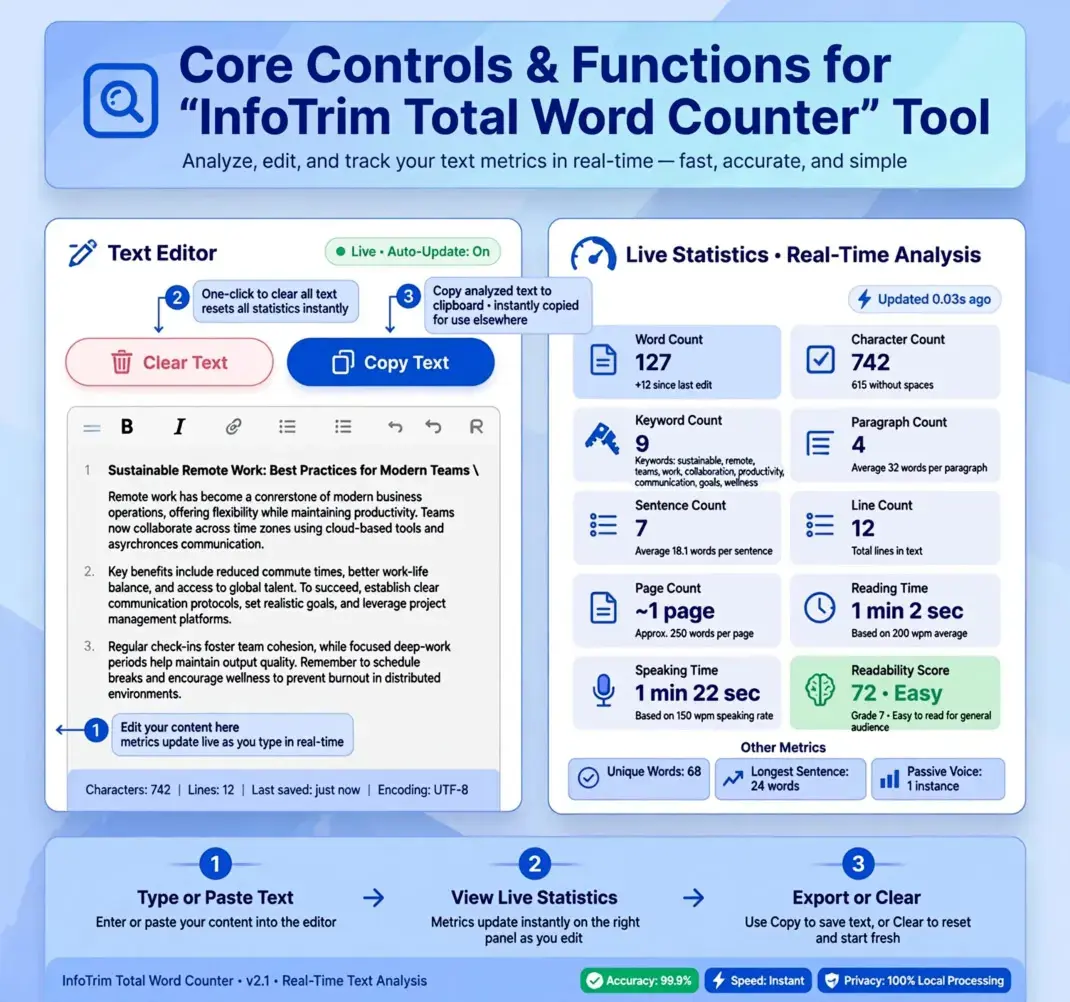
1. Text Area
In the ‘character word counter’ text area, you can copy and paste the text from online or offline sources to get the ‘live text statistics’. You can do necessary ‘text formatting’ as per your need.
Additionally, “Using Tab” – Pressing the Tab key inserts 5 spaces at once. Pressing Backspace after that removes one space per press (normal backspace behavior), so after 5 presses you return to the original cursor position. This is especially helpful for quick indentation without reaching for the space bar.
Overall, this boosts the ‘writing productivity’ which helps in ‘real-time text analysis’ and solves overall writing jobs.
2. Clear Text
The ‘Clear Text’ button of document word counter tool is used for deleting all text of the text area stored in the local browser.
3. Upper Case
a. Shortcut & Toggle:
Click the “Upper Case” button to convert every character of the text in the main text area into “UPPERCASE”.
b. Toggle‑back:
Click the same button (i.e. “Upper Case”) again to “restore the original text” exactly as it was before the transformation.
c. Smart state management:
The tool remembers the original text, and applying “Upper Case” resets any previous toggles (Lower, Title, Sentence), so you always see a clean, predictable result.
d. Ideal for:
It is useful for Headlines, emphasis, or formatting data for systems that require uppercase input.
4. Lower Case
a. Click to lowercase:
Transform the entire text in the main text area of the ‘character and word counter’ tool to “lowercase” with a single click.
b. Toggle‑back:
Click again on the “lowercase” button to revert to the pre‑lowercase version.
c. Conflict‑free:
Using “Lower Case” automatically disables any active Upper, Title, or Sentence Case toggles, ensuring you always work with the intended case style.
d. Perfect for:
It helps in normalising user‑generated content, preparing text for case‑insensitive processing, and/or simply reducing typing effort by going through character by character on a line and paragraph basis.
5. Upload Dialog Box
a. Shortcut Key (U):
Press the ‘U’ key “anywhere outside” the main text area of the ‘browser-based word counter’ tool to instantly open the file upload dialog box.
This allows the user to import files like: `.txt`, `.html`, `.css`, `.js`, `.php`, `.py`, and 50+ more formats using the ‘drag and drop’ feature or by clicking on the ‘drag and drop’ area to select a file from the local computer for importing into the ‘word counter tool’ section.
b. Closing the Dialog box:
The upload modal (i.e. dialogue box) can be closed in “three convenient ways”:
- Click the “× (close) icon” in the top‑right corner.
- Click “outside” the dialogue box (i.e. on the darkened overlay).
- Press the “Esc (Escape)” or “Delete (Del)” key on your keyboard – perfect for normal and power users who prefer keyboard navigation.
This flexible closing mechanism ensures you can dismiss the “upload popup dialog box” instantly, whether you’re using a mouse or keyboard, keeping your editing flow uninterrupted.
c. Using Tab:
Pressing the Tab key inserts 5 spaces at once in the main text area of the ‘word counter app’ tool. Pressing Backspace after that removes one space per press (like ‘normal backspace behavior’), so after 5 presses, you return to the original cursor position.
This is especially helpful for quick indentation without reaching for the space bar, which saves users a lot of time.
6. Title Case
a. Intelligent word‑capitalisation:
Each “major word’s first character” in the main text area turns into a capital letter, following standard title‑case conventions, for example:
- Input: “the quick brown fox.”
- Output: “The Quick Brown Fox.”
- Rule: First letter of every word is capitalized
- Input: “let’s go”
- Output: “Let’s Go”
- Rule: Apostrophe — no capitalization after ‘ (apostrophe)
- Input: “😀nice to meet you”
- Output: “😀Nice To Meet You”
- Rule: Leading emoji, all words capitalized
- Input: “?hello world”
- Output: “?Hello World”
- Rule: Leading symbol, no space inserted (position 0)
- Input: “hello!world”
- Output: “Hello! World”
- Rule: Sentence-ender mid-string → space inserted
- Input: “user|admin”
- Output: “User|Admin”
- Rule: Non-sentence-ender symbol → no space inserted
- Input: “hELLo wORLd”
- Output: “Hello World”
- Rule: Rest of word forced lowercase
- Input: “state-of-the-art”
- Output: “State-Of-The-Art”
- Rule: Each hyphenated segment capitalized
- Input: “café über”
- Output: “Café Über”
- Rule: Unicode/accented letters handled
- Input: “123apple”
- Output: “123Apple”
- Rule: Letter after digit capitalized
- Input: “hello world”
- Output: “Hello World”
- Rule: Exact internal spacing preserved (3 spaces stay 3)
- Input: “”
- Output: “”
- Rule: Empty string returned as-is
- Input: ” ”
- Output: ” ”
- Rule: Whitespace-only string returned as-is
- Input: null (non-string input, e.g. null/undefined)
- Output: “”
- Rule: Input validation
#. Title Case Test Cases:
b. Toggle‑back:
Click the “Title Case” button again to revert to the original text in the main text area.
c. State consistency:
Activating “Title Case” clears any other active case toggle, so you never have conflicting transformations.
d. Best for:
“Title Case” is most useful for blog post titles, article headings, book chapters, or any content that requires a polished, publication‑ready appearance.
7. Sentence Case
a. First‑letter capitalisation:
The tool “intelligently capitalises the first alphabetic character” of each sentence, “ignoring any leading symbols, numbers, or special characters”. For example:
- “?hello world” → “?Hello world”.
- “let’s go” → “Let’s go”.
- “😀nice to meet you” → “😀Nice to meet you”.
b. Sentence detection:
It splits text based on sentence‑ending punctuation (`.`, `!`, `?`) and applies the capitalisation to each sentence individually. It is helpful for random writing with not much care during the writing process. And using this ‘word counter tool’ will make the job easy.
c. Toggle‑back:
Click the “Sentence Case” button again to restore the original text, clearing any other active case toggles. If not needed, then use the same button again.
d. Great for:
It is useful for professional emails, formal documents, blog posts, and any text where proper sentence‑capitalisation enhances clear readability.
8. Copy Text
You can use ‘Copy Text’ button to copy the text of essay word counter tool based on your needs. It can also be used for temporary storage of any online text for later use and this ‘Copy Text’ feature will be very helpful.
C Features of Using this ‘InfoTrim Web Word Counter’ Tool
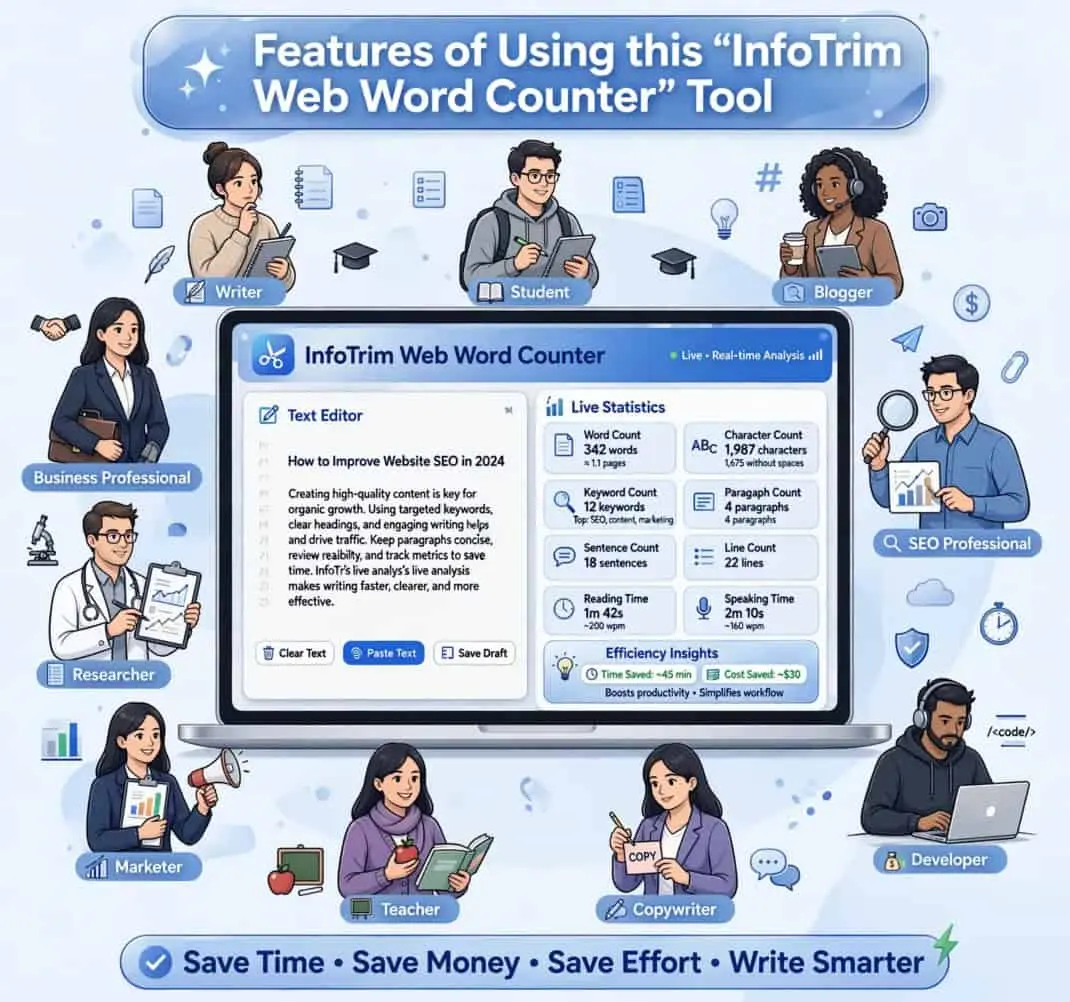
Know the features of this ‘word counter online free’ tool and its uses in the daily lives of various professionals and non-professional users to make their work easier while saving time, money, and effort.
1. Words Counter
To ‘count number of words online’, this ‘article word counter’ tool is extremely helpful for freelancers, students, teachers, online readers, researchers, writers, and many other professionals. It accurately counts the total number of words in your text, making it suitable for articles, assignments, reports, blogs, research papers, and other writing projects.
This feature is especially useful whenever word count requirements are important, helping users save time while ensuring their content meets the required length with accuracy.
2. Keywords Counter
The ‘Keyword Word Counter’ helps users count the total number of keywords or keyword phrases by separating them with commas. This feature of the ‘frequency word counter’ is especially useful for managing keywords, tags, and hashtags across platforms such as YouTube, LinkedIn, TikTok, Facebook, Instagram, and many others.
It allows users to quickly determine the number of keywords they are using and stay within platform-specific limits. This saves valuable time and effort by eliminating the need to count keywords manually.
3. Characters Counter
Anyone who wants to count the total number of characters in web content, social media posts, titles, descriptions, or other text can use the ‘character word counter’ tool. It is especially helpful for meeting character limits, such as a 60-character SEO title or platform-specific content restrictions.
This feature helps users understand the maximum character limit supported by various websites, search engines, and social media platforms, ensuring their content fits perfectly without exceeding the allowed length.
4. Paragraphs Counter
Agencies, content creators, policy makers, and many other professionals use the ‘paragraph word counter’ tool to count the total number of paragraphs and keep their content well organized and visually appealing. It helps maintain a balanced content structure while avoiding unnecessarily long or overcrowded paragraphs.
This feature makes content look more professional and easier to read. For web content creators, maintaining balanced paragraphs under each sub-heading improves readability, user engagement, and the overall presentation of the content.
5. Lines Counter
Writers and authors use the ‘line counter word’ tool to count the total number of lines in their content and keep it well formatted. It helps them organize manuscripts, articles, poems, scripts, and other documents more effectively.
Besides this, teachers, bloggers, SEO professionals, journalists, data entry professionals, editors, and many others use this ‘web word counter’ tool to count the total number of lines, organize their reports and documents, and maintain a clean, well-structured format.
6. Sentences Counter
Developers and UX writers use the ‘sentence word counter’ feature of this ‘InfoTrim Word Counter Online’ tool to analyze documentation, optimize in-app messages, and improve their help content. Likewise, AI Prompt Engineers use this ‘speech word counter’ tool to analyze sentence structure, complexity, and overall prompt clarity.
Besides this, the tool is widely used by email marketers, social media managers, business professionals, copywriters, bloggers, students, and many other professionals for writing, editing, and optimizing content based on their specific needs.
7. Pages Counter
Printing companies use the ‘page word counter’ tool to estimate page usage, calculate printing costs, and plan print jobs more efficiently. It is also useful for self-publishing authors to estimate book length, graphic designers to prepare print-ready documents, and book authors to meet publishing requirements.
Similarly, students preparing theses, academic institutions reviewing research papers, office professionals, and publishers use this feature to estimate page count, organize documents, and ensure they meet submission or printing guidelines.
8. Reading Time Counter
Digital agencies use the ‘Reading Time Counter’ tool to estimate reading time and improve their overall content strategy by analyzing client content. This ‘article word counter‘ tool calculates the estimated reading time based on an average reading speed of approximately 250 words per minute.
It also helps bloggers, SEO content writers, publishers, and website owners inform readers how long it will take to read a particular article or blog post. This improves user experience, content planning, and reader engagement.
9. Commas Counter
Translators use the ‘Commas Counter’ tool to compare punctuation between languages and review translated documents for consistency. Likewise, technical writers use it to maintain consistent punctuation and create clear, easy-to-follow documentation.
SEO content writers use this feature to improve readability and avoid overly long sentences, while students and teachers use it to learn proper comma placement, strengthen grammar skills, and review written assignments with greater accuracy.
10. Speaking Time
Sales professionals use the ‘Speaking Time’ feature of ‘InfoTrim Word Counter Online’ tool to estimate their speaking duration and improve their presentation style, customer interactions, and sales pitches to generate more leads. On average, a speaking speed of 4–5 words per second, or approximately 240–250 words per minute, is commonly used to calculate the estimated speaking time.
Similarly, presenters, trainers, public speakers, content creators, and many other professionals use the ‘speech word counter’ tool to practice their delivery, improve communication skills, and make better use of their speaking time.
11. Readability
The ‘Readability’ feature is widely used by SEO content writers to improve readability scores and create content that is easier for both users and search engines to understand. It analyzes the overall structure of the content, helping writers produce clear, engaging, and easy-to-read blog posts and articles.
Editors use this feature to maintain high editorial standards, while proofreaders identify and improve complex or awkward sentences. As a result, the overall readability, clarity, and user experience of the content are significantly enhanced.
12. Professional
The ‘Professional’ feature of the ‘word counter tool’ helps business professionals write polished emails, improve workplace communication, and create professional documents with confidence. It is also useful for job seekers preparing job applications, HR professionals drafting company policies, and sales professionals building client trust.
Additionally, this feature benefits entrepreneurs creating business plans, marketing professionals improving brand communication, freelancers writing client proposals, and anyone who wants to produce clear, professional, and business-ready content.
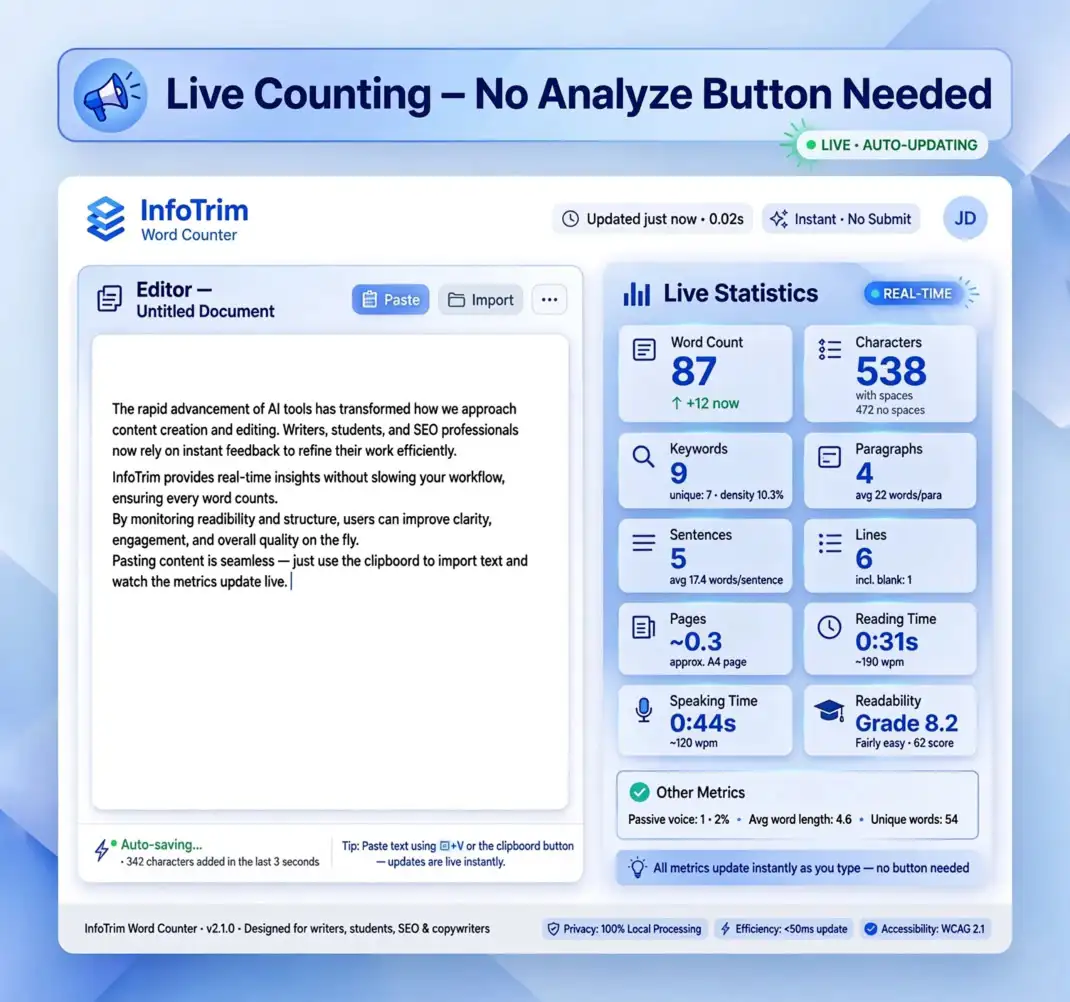
13. Live Counting – No Analyze Button Needed
When text is copied and pasted into the text area of this ‘accurate word counter’ tool, the results are displayed instantly in real time. There is no additional Analyze or Submit button to click, making the entire process fast and effortless.
This live counting feature of the ‘word count calculator’ provides immediate feedback, making the tool more efficient and valuable for both professional and non-professional users.
14. Copy and Paste Support
The copy and paste support of this ‘word count calculator’ tool allows users to instantly analyze any text or document without manual typing. Simply copy the content from any online or offline source and paste it into the tool to receive immediate text statistics and reports.
If you need a temporary place to store notes, ideas, or important text for reference, this feature of the ‘document word counter’ tool is both convenient and time-saving.
15. One‑Click Copy & Clear
With just one click, the text from this ‘word count checker’ feature of ‘InfoTrim Word Counter Online’ tool can be copied and pasted anywhere online or offline. Likewise, using the ‘Clear’ button instantly removes all text from the tool’s text area, allowing users to start fresh.
These Copy and Clear controls make the tool more convenient, helping users complete their tasks faster while improving their overall productivity and workflow.
16. Persistent Local Storage
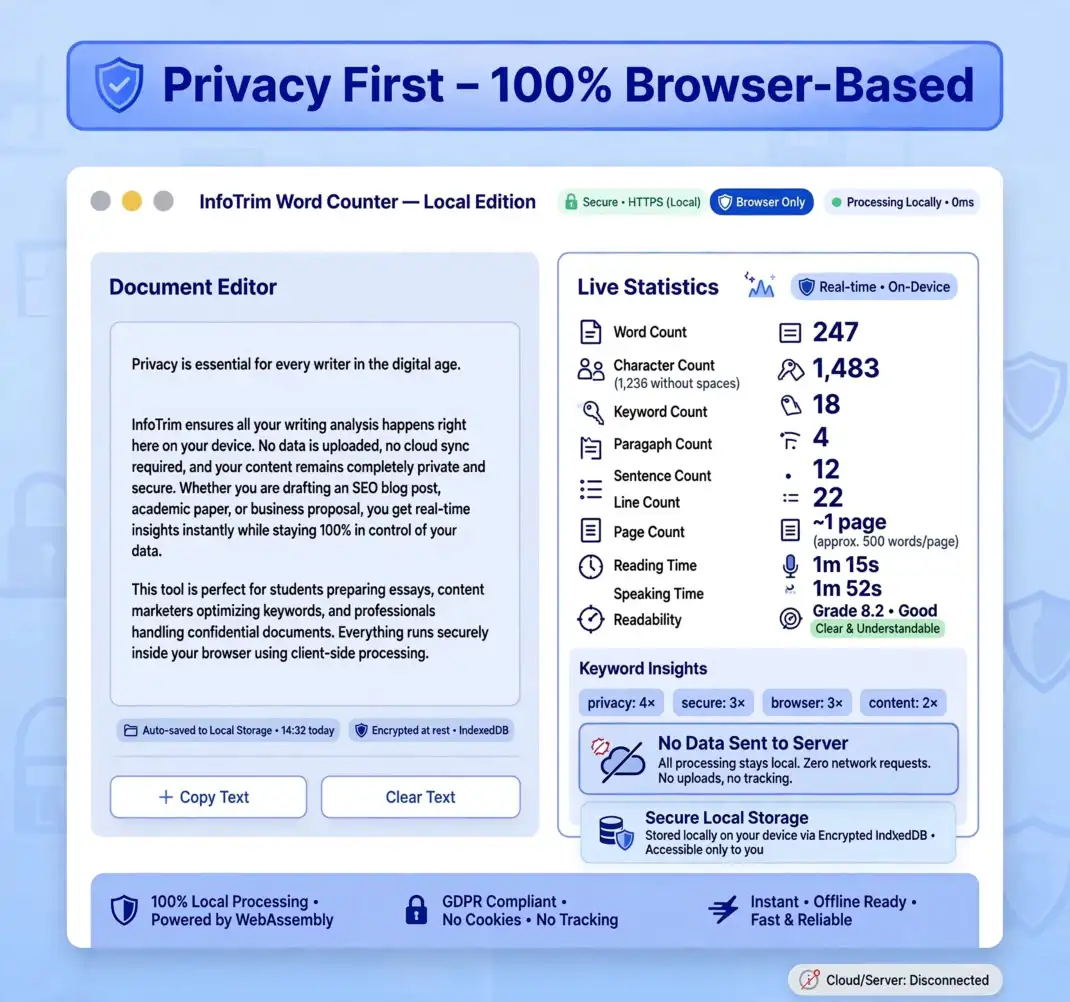
Any text that is copied and pasted into the text area of this online ‘counting tool’ is stored locally in the user’s browser, not on the website server. This means that even after refreshing the webpage, the text remains available in the tool’s text area for continued use.
The results are also preserved in most cases. However, if the live results are not displayed after a page refresh, simply click inside the text area and press the ‘Space’ key or type any character to refresh the live analysis instantly.
17. Privacy First – 100% Browser‑Based
Since all data is stored locally in the user’s browser and nothing is sent to the server, privacy is fully maintained while using this ‘count word count’ tool online. This allows users to work with confidence, knowing their documents remain secure and are never shared with any third party.
18. ASCII Character Counting
Our article word counter provides precise analysis for standard ASCII text. Whether you are checking English-language documents or basic code strings, the tool recognizes the 128 standard characters (and extended ASCII) to ensure your character count and word count remain accurate across all legacy system formats.
19. UTF-8 & Unicode Compatibility
In the modern digital era, UTF-8 is the global standard for character encoding. This word counter app is fully optimized to handle international character sets, special symbols, and emojis. By supporting Unicode standards, the tool ensures that non-Latin scripts and complex symbols are counted correctly, providing a reliable text analysis experience for global users.
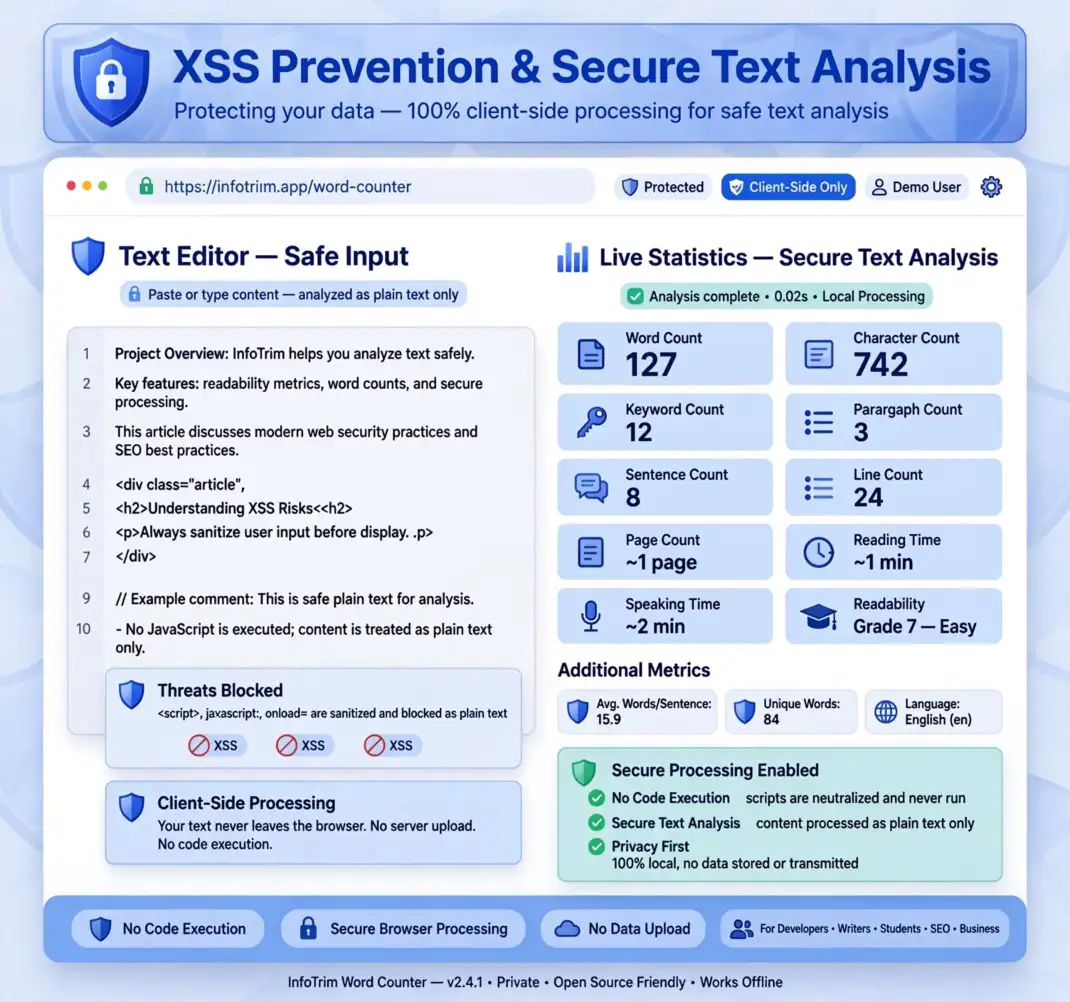
20. XSS Prevention & Secure Text Analysis
Security is a top priority when dealing with raw text or code snippets. Because this accurate word counter operates 100% client-side, it provides built-in XSS prevention. By analyzing text within the browser environment and never executing it as code, we protect you from Cross-Site Scripting vulnerabilities, ensuring your session remains secure while you analyze sensitive data.
21. Metadata & Character Encoding
Proper character encoding is vital for metadata optimization. This document word counter helps you monitor character limits for Title Tags and Meta Descriptions, ensuring they are compatible with modern browser rendering. By identifying how different character sets affect your length, you can optimize your content for both search engines and human readability.
22. Responsive Design – Works on All Devices
This ‘online word counter tool’ is fully mobile-responsive and works seamlessly on all screen sizes and devices. It allows users to access this tool on their preferred device, whether a desktop, laptop, tablet, or mobile phone. The flexibility to use the tool anytime and anywhere gives users the freedom to work more efficiently while saving valuable time and effort.
Conclusion
This ‘copy and paste word counter’ tool makes the lives of freelancers, students, teachers, and many other professionals and non-professionals easier by helping them complete their tasks on time. What matters most is delivering accurate, fast, reliable, and trustworthy results, either here on using this tool or when working with clients and other professionals.
Learning to use the ‘InfoTrim Word Counter Online’ web tool in daily professional life helps users feel more confident in their work, saves them significant time with less effort, and allows them to invest that saved time in learning other valuable skills. This productivity gain is one of the greatest benefits of using professional tools related to their profession.
Besides all its other features, privacy is the key to keeping users’ work completely secure and away from third parties. If the data is stored only in the user’s local browser, there is no need to worry about whether the information is secure or not.
Additional info of This Post InfoTrim Word Counter Online
- Total Words: 3,892
- Time to Read: 21 Min
- Category: Writing Application
- Webpage Type: Web Application
- Author: InfoTrim
Operational Specifications: Professional Utility
- Processing Speed: Instant / Real-Time.
- Processing Logic: 100% Client-Side Execution.
- Security Status: Encrypted & Private.
- Usage Cost: Free for Lifetime.
- Data Storage: Zero Server Logs / Local Only.
Explore More Tools :
FAQ
1. Why is the ‘InfoTrim Word Counter Online’ tool important for Freelancers?
Freelancers such as Content Writers, Video Content Creators, Social Media Managers, SEO Specialists, Copywriters, and many others need this ‘frequency word counter’ tool to count the total number of words, characters, keywords, paragraphs, lines, sentences, pages, and more. It helps simplify their workflow while saving time, effort, and money.
2. How can SEO professionals ‘count words and characters’ in less time?
SEO professionals working in any niche, whether web content creation, blog writing, copywriting, or video content production, can use this ‘word count calculator’ tool to quickly count words, characters, lines, sentences, paragraphs, pages, and more. It provides fast, accurate, and professional results, making content analysis much more efficient.
3. Why should a ‘counting tool’ always be used in daily professional life?
The ‘web word counter’ is an online tool that instantly analyzes your text and provides live results for words, paragraphs, sentences, lines, readability, professionalism, and many other text statistics. Simply paste or type your content into the text area of this ‘free word counter’ tool to receive accurate results within seconds.
4. What’s the common misconception about ‘unique word counter’?
A common misconception is that it counts the total number of words or shows how many times each word is repeated. In reality, a ‘unique word counter’ only counts distinct words and does not display the frequency of repeated words unless that feature is specifically included. Always use the tool according to the feature described in its name.
5. What’s the future step in using ‘Word Counter Online’ tools?
This ‘free word counter’ tool will continue to evolve over time with new features and improvements. Regular updates are essential for staying relevant and meeting users’ changing needs, so both businesses and users benefit from continuous innovation, ensuring the tool remains useful, accurate, and up to date.
Remember to share this post on your preferred social media platform with your family, friends, relatives, community, peers, and admirers.